
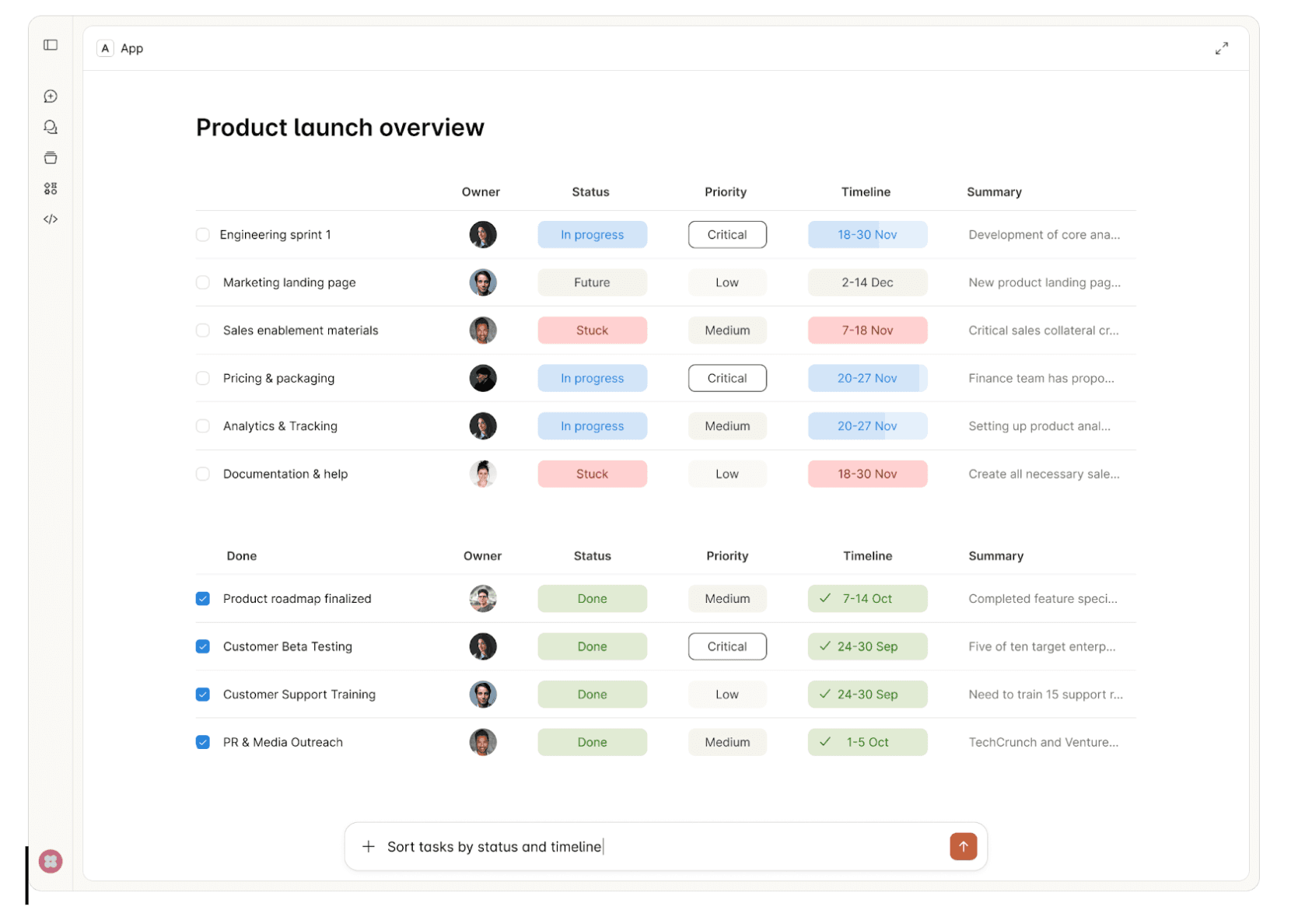
Chat-based interfaces aren't the right fit for every use case. There's a reason humans gravitate toward spreadsheets for financial data, inboxes for managing tasks, and dashboards for monitoring systems. These UI formats decrease cognitive load—they let us scan, compare, and act faster than parsing through conversational exchanges.
Try reviewing a multi-row budget variance in a chat thread. Or approving infrastructure changes by piecing together details from text messages. Or configuring an integration where 12 dependent fields need to be set correctly. Chat forces linear processing where spatial, visual, or structured interfaces would be natural.
This is why the MCP Apps Extension (SEP-1865) matters. The Model Context Protocol standardized how AI agents connect to tools, but constrained interactions to text and structured data. MCP Apps changes this by standardizing interactive user interfaces for MCP servers—enabling the right UI format for each use case, at scale, across the protocol.
What is the MCP Apps Extension?
The MCP Apps Extension standardizes how MCP servers deliver interactive UI resources to host applications. Three aspects matter for enterprise:
Pre-declared UI resources: Templates are declared upfront with the ui:// URI scheme, allowing security review before execution—critical for governance.
Security-first: UI content runs in sandboxed iframes. All communication uses JSON-RPC over postMessage, creating auditable trails. Hosts can require explicit approval for UI-initiated tool calls.
Standard transport: UI components use the existing MCP JSON-RPC protocol. All communication is structured, logged, and auditable.
In this article, we'll walk through ideas on how MCP Apps Extension can be incorporated into enterprise daily usage.
Enterprise Use Cases
1. Interactive Approval Workflows
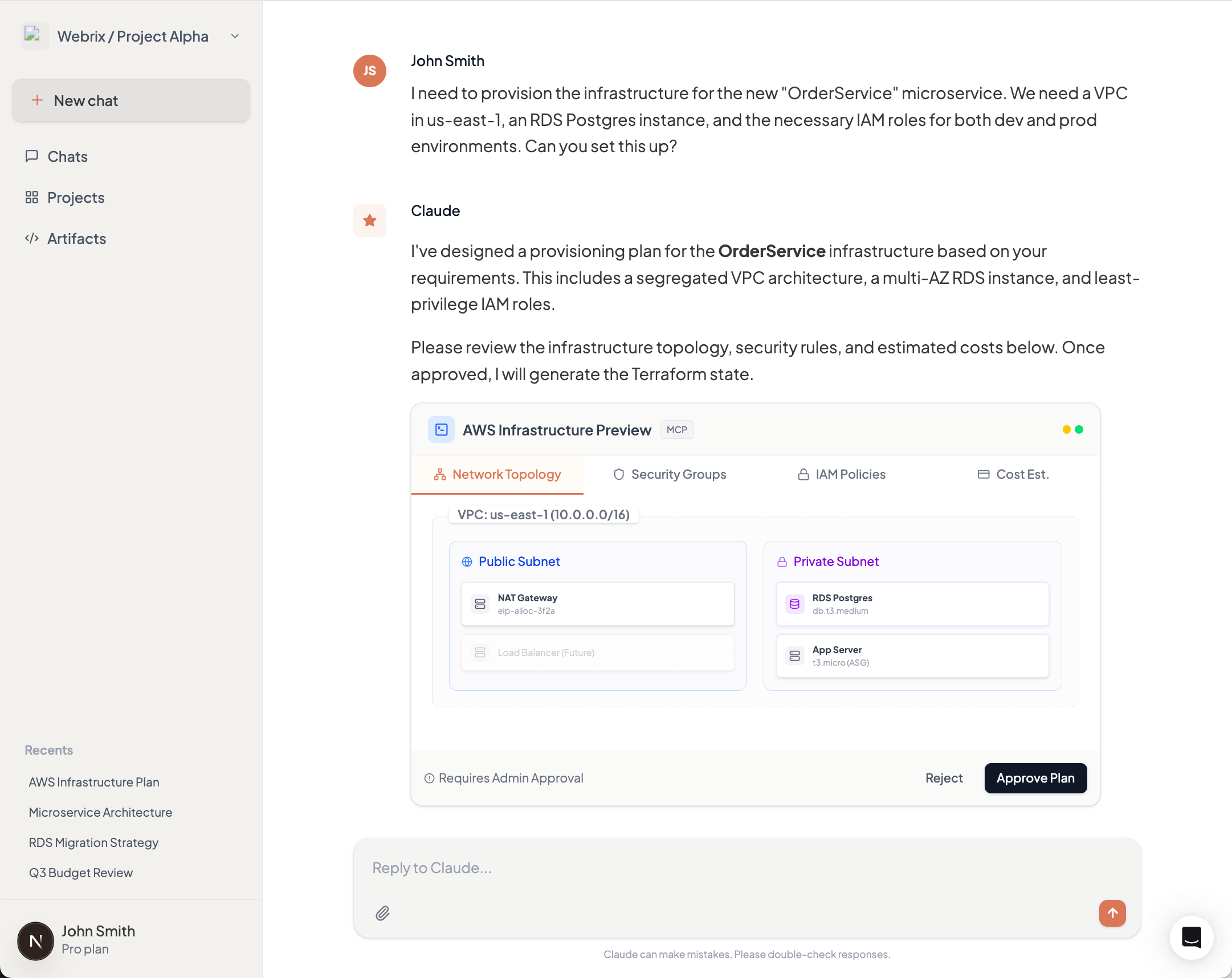
Consider an AI agent provisioning AWS infrastructure for a new microservice. The request includes creating VPCs, security groups, IAM roles, and RDS instances across multiple environments. Reviewing this through text messages means parsing JSON configurations and mentally mapping dependencies between resources.
MCP Apps enables a structured approval interface showing the complete infrastructure change—visual network diagrams, security group rules in tables, IAM policy comparisons, and cost estimates. Approvers see what will change, why, and what depends on what. Security teams audit exactly what was presented at approval time, not just chat logs.
2. Data Visualization & Analytics
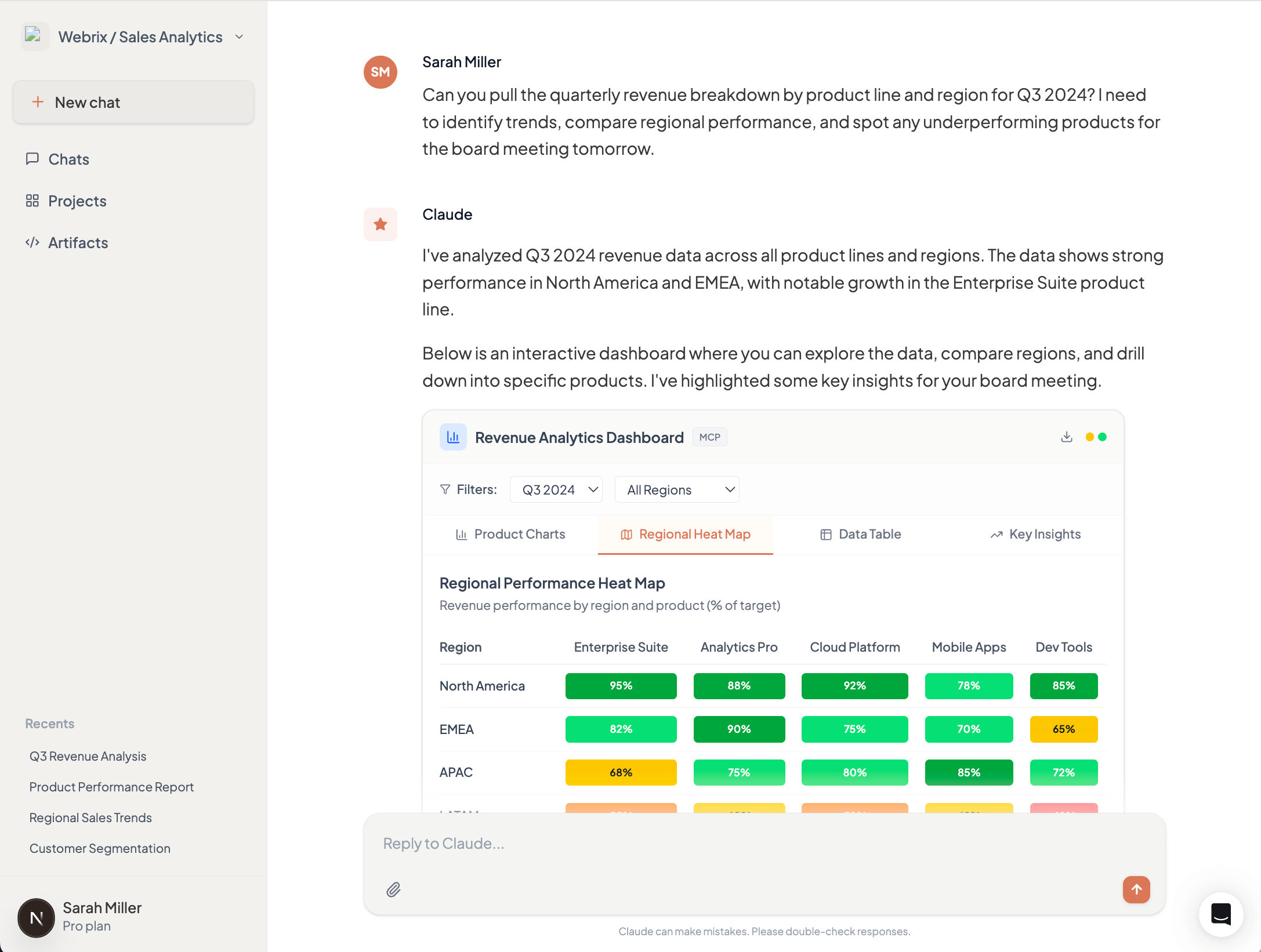
A product manager asks an AI agent for quarterly revenue breakdown by product line and region. The agent queries the data warehouse and returns 200 rows of CSV data. The PM now needs to import this into Excel or Tableau to spot trends, compare regions, and identify outliers.
MCP Apps returns an interactive dashboard directly in the AI interface—bar charts showing revenue by product line, a heat map of regional performance, and a sortable table with drill-down capabilities. The PM filters by region, compares quarters, and identifies the underperforming products immediately. No export, no context switch, no friction.
3. Configuration Management
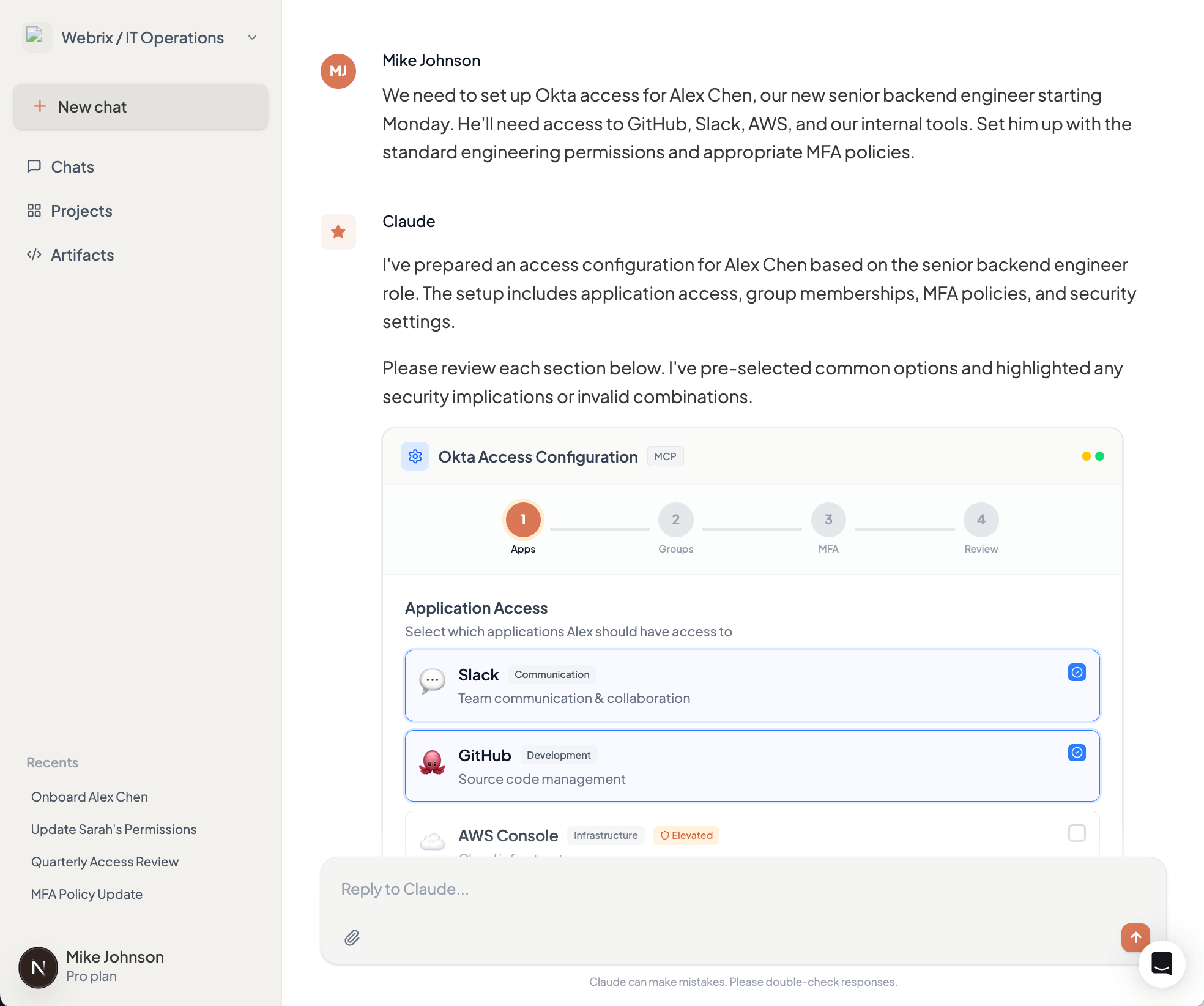
Setting up access control for a new team member in your Okta organization requires configuring application access, group memberships, MFA policies, and role assignments. Through chat, this becomes a tedious back-and-forth: "Which apps?" "Should they have admin access?" "What MFA method?" Each answer affects subsequent options.
MCP Apps presents a multi-step configuration form showing available applications with descriptions, group hierarchies with permission previews, and MFA policy options with security implications. Invalid combinations are disabled with explanations. The entire setup takes minutes instead of hours of conversation, with immediate validation preventing configuration errors.
4. Compliance & Audit Interfaces
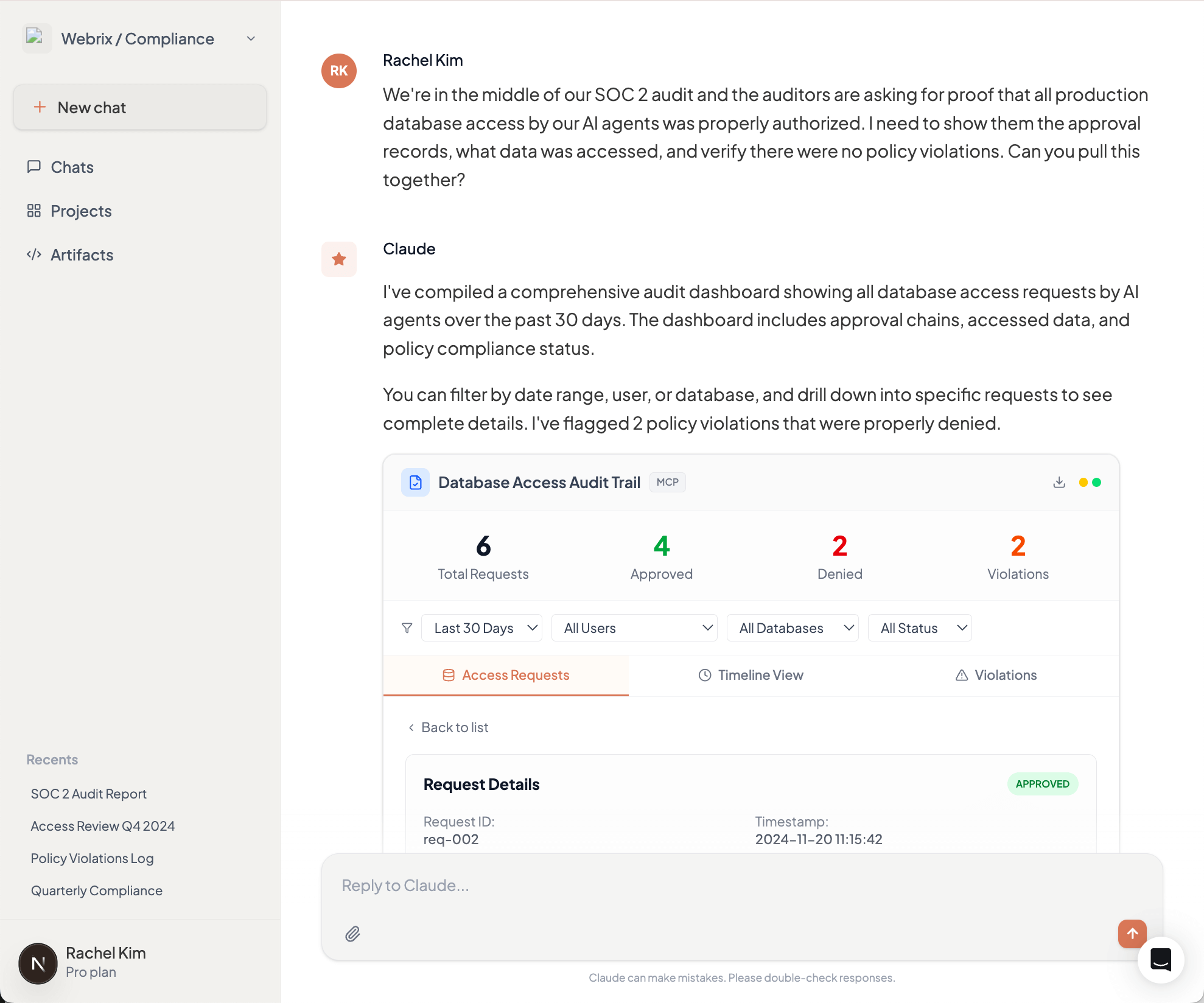
During a SOC 2 audit, your compliance team needs to prove that all production database access by AI agents was properly authorized. This means reviewing thousands of log entries and correlating them with approval records scattered across chat histories and approval systems.
MCP Apps provides an interactive audit dashboard showing all database access requests, who approved them, what data was accessed, and whether any policy violations occurred. Filter by date range, user, or database. Drill down into specific requests to see the complete approval chain. When auditors ask questions, demonstrate controls in minutes, not days.
Why This Matters for Enterprise Adoption
MCP Apps will solidify the Model Context Protocol as the foundation for enterprise AI infrastructure. By standardizing interactive interfaces, it enables developers to deliver rich experiences that match how people actually work—not forcing everyone to adapt to chat-based interactions.
This translates directly to productivity gains. Finance teams review dashboards, not JSON. Security teams approve changes through structured interfaces, not conversation threads. Operations teams configure integrations in minutes, not hours. When the interface matches the task, adoption accelerates across the organization, beyond just technical users who are comfortable with terminal-style interactions.
MCP Apps in Webrix MCP Gateway
Webrix MCP Gateway will support the MCP Apps Extension at GA, providing centralized UI security review, unified audit trails for all UI interactions, consistent policy enforcement across UI and text-based actions, and gradual rollout capabilities. Enterprises adopt MCP Apps without building custom infrastructure for UI security, auditing, and governance.
What This Means
The MCP Apps Extension (SEP-1865) is under community review. The specification starts lean—iframe-based HTML UIs and JSON-RPC communication—with plans to expand.
The collaboration between Anthropic, OpenAI, and MCP-UI to standardize these patterns prevents ecosystem fragmentation. For enterprises, the insight is clear: interactive interfaces enable workflows that don't map to text exchanges. As MCP servers evolve to handle complex enterprise use cases, appropriate interfaces become critical.
See the full MCP Apps Extension announcement for details.